- In Outlook go to the Home tab
- In the Delete group click the drop down Junk button and select the option Junk E-mail Options… at the bottom of the list

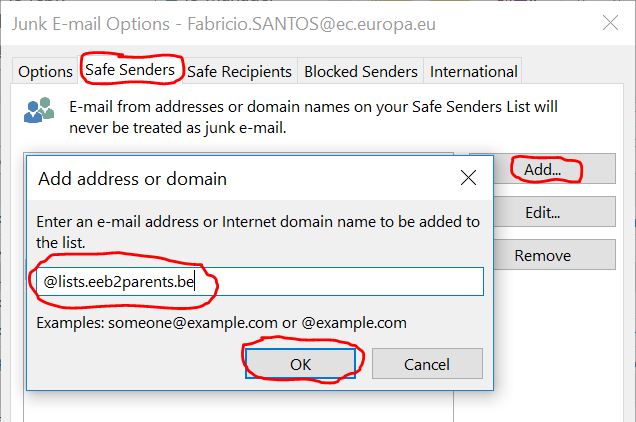
- In the next window select the Safe senders tab
- Click the Add… button and type @lists.eeb2parents.be
- Click OK and click again OK in the previous window